
Hardware / ThinkPad / Modding Culture
The ThinkPad
T430
Display: 14" TN HD / HD+ · GPU: Intel HD 4000 / NVIDIA NVS 5400M
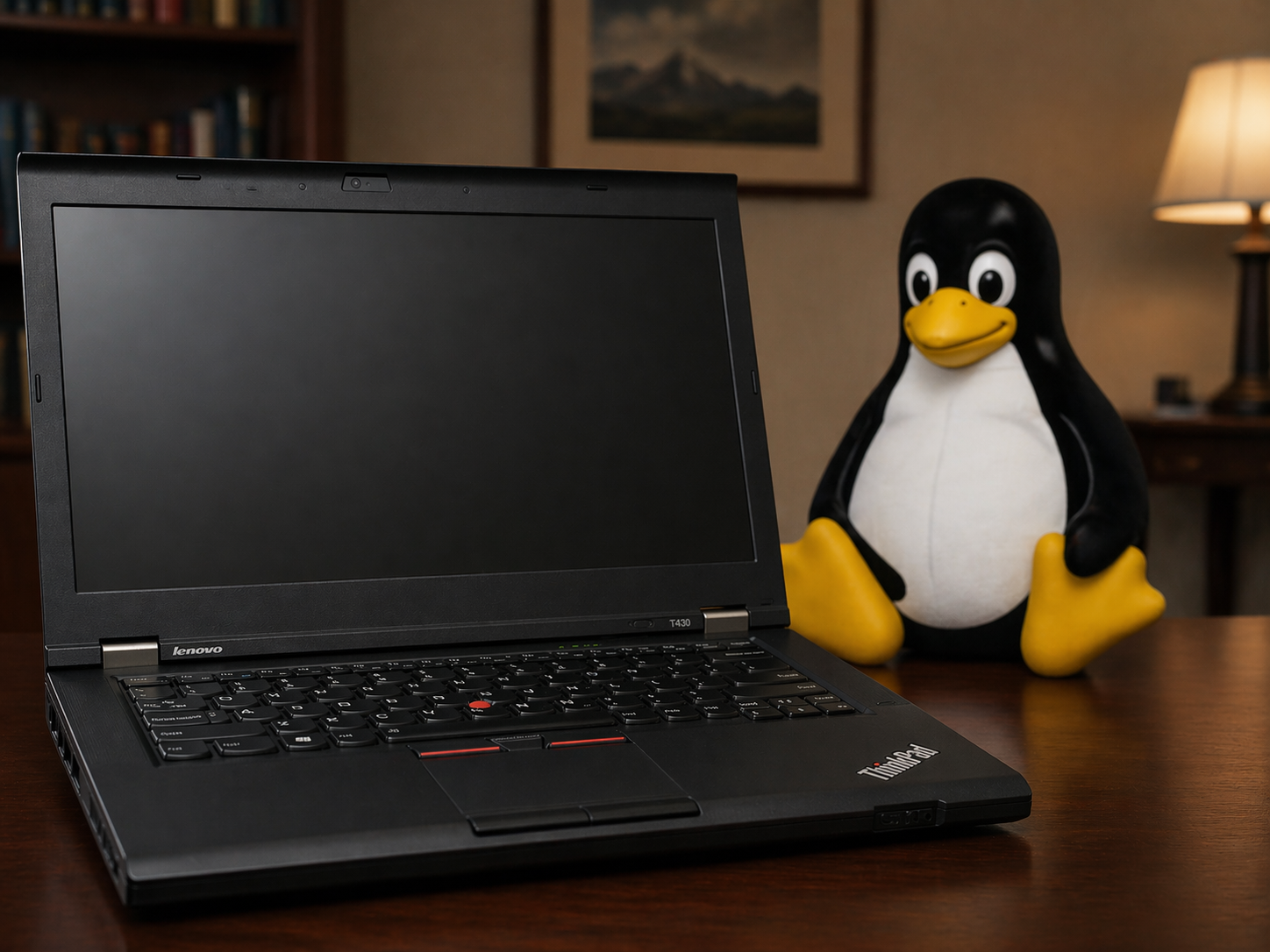
A 2012 business laptop that the internet refused to let die. Thirteen years on, people are still buying them, modding them, flashing their BIOSes, and arguing about keyboards. The T430 is not the best ThinkPad ever made. It might be the most interesting one.
The ThinkPad T430 launched in mid-2012 as Lenovo's mainstream business workhorse — the "T" series having long occupied the serious end of the laptop market since IBM handed the brand over in 2005. It was built around Intel's third-generation Ivy Bridge processors, fitted with the legendary ThinkPad roll cage magnesium chassis, and shipped with a full suite of business-oriented features: fingerprint reader, TPM chip, Intel vPro support on certain SKUs, and Lenovo's ThinkVantage software suite.
On paper it was a competent but unremarkable enterprise laptop. In practice, it turned out to be one of the last machines in the ThinkPad lineage built to a philosophy that prized modularity, repairability, and raw serviceability above thinness. Nearly every component was a daughter card, a socketed chip, or a slide-out module. The battery was external and hot-swappable. The RAM was slotted. The CPU sat in a socket. The Wi-Fi card was a Mini PCIe daughter board you could swap in an afternoon.
Lenovo sold the T430 in an enormous range of configurations — a common practice for enterprise machines where procurement teams could spec exactly what they needed. The spread ran from a modest Core i3 base unit all the way to a discrete GPU workstation-class build, with nearly every component variable along the way.
| Tier | CPU | GPU | Display | Notes |
|---|---|---|---|---|
| Base | i3-3110M / i5-3210M | Intel HD 4000 | 1366×768 TN | Entry fleet / university |
| Mid | i5-3320M / i5-3360M | Intel HD 4000 | 1366×768 or 1600×900 | Most common config found used |
| Top | i7-3520M / i7-3540M | Intel HD 4000 | 1600×900 TN (HD+) | Better cache, higher TDP |
| Optimus | i5-3320M or i7-3520M | NVIDIA NVS 5400M | 1366×768 or 1600×900 | Discrete GPU, Optimus switching |
The mSATA slot deserves special mention: Lenovo offered some configurations with a small mSATA SSD alongside a traditional spinning hard drive — an early form of tiered storage before it became mainstream. Crucially, the mSATA slot occupied the same physical space as the WWAN (mobile broadband) card, meaning you had to choose between one or the other. It was a constraint, but the existence of the slot at all was a gift — owners could add a fast SSD cache or boot drive without touching the main drive bay.
↳ The T430s variant
Alongside the standard T430, Lenovo offered the T430s — a slimmer, lighter version with a lower-profile chassis, integrated optical drive bay sacrificed for thickness, and support for Intel's Thunderbolt on certain builds. The T430s uses slightly different palmrest dimensions and some mods behave differently between the two models. The FHD screen kit, in particular, worked more reliably on the s-variant.
The T430 was the first ThinkPad in the premium T-series to ship with an island-style "chiclet" keyboard — a redesign that landed with roughly the same reception as New Coke. The classic ThinkPad keyboard was a seven-row layout, deeply loved for its tactile travel, logical key placement, and dedicated row of function keys. The new six-row chiclet design consolidated rows, moved keys, and abolished the dedicated ThinkLight toggle.
The community's response was to simply put the old keyboard back. Because the T430's chassis uses an identical connector to the T420's classic keyboard, it is physically possible to transplant a T420/T410 seven-row keyboard into a T430 body. The classic keyboard has five retaining nubs along its bottom edge while the T430 chassis only has four slots — you trim the extra nub, file down the others slightly, and the keyboard drops in. The catch: the BIOS interprets keypresses itself, and an unmodified T430 BIOS doesn't know what to do with the T420 keyboard layout. Some keys simply don't fire.
The classic keyboard mod requires a modded BIOS, a steady hand with a file, and a willingness to accept that a couple of Fn combos will never quite work again.
The solution arrived via the same BIOS modding tools used for everything else on the T430. With a patched BIOS that remaps the embedded controller's key matrix, the classic seven-row keyboard works properly — with the exception of a handful of Fn combinations that the new EC simply never generates. For most users it's an acceptable trade-off, and the result is a machine that types like 2010 and runs like 2012.
The mod scene: 1vyrain and beyondThe T430's modding community coalesced around a fundamental frustration: Lenovo's stock BIOS imposed a hardware whitelist for wireless cards. If an installed Wi-Fi card wasn't on Lenovo's approved list, the machine refused to boot — a lock-in that kept owners on aging 802.11n cards long after 802.11ac became standard. No amount of Linux drivers or Windows workarounds could circumvent a pre-boot refusal to POST.
The first wave of BIOS modifications required physical hardware access — a CH341A programmer clipped to the BIOS chip while the machine was open on a desk. Effective, but not for the faint of heart. Everything changed when researcher Thunderstrike identified a software-accessible vulnerability in the Ivy Bridge ThinkPad BIOS update mechanism. In 2020, developer n4ru released
1vyrain-
Firmware
1vyrain / BIOS unlock — removes the Wi-Fi whitelist, enables the Advanced BIOS menu, and unlocks CPU overclocking via XTU. Entirely software-based via a bootable USB. Supports flashing coreboot or heads as a full BIOS replacement.
-
Hardware
Wi-Fi card swap — replace the whitelisted Intel Centrino with an Intel 7260 or 8260 for dual-band 802.11ac. Requires whitelist removal first. Half-height Mini PCIe, takes under five minutes once the BIOS is patched.
-
Hardware
CPU upgrade — the socketed rPGA 988B allows swapping the stock dual-core for an i7-3632QM or i7-3740QM quad-core. The T430's thermal solution was not designed for quad-core TDPs; expect to repaste with quality compound and tune the fan curve aggressively. The reward is genuine quad-core performance in a 2012 chassis.
-
Hardware
IPS / FHD screen mod — the stock TN panel is notoriously poor. An adapter board (LVDS signal conversion kit) allows fitting a modern IPS panel up to 1080p. The T430s takes the mod more cleanly; T430 non-s models can exhibit backlight flicker, particularly on charge. QHD kits also exist, though remain niche at 14".
-
Hardware
Classic keyboard transplant — install a T420/T410 seven-row keyboard. Requires minor filing of retaining nubs and a patched BIOS EC for correct key mapping. A handful of Fn combinations remain non-functional due to embedded controller limitations.
-
Firmware
coreboot / heads — replace the proprietary Lenovo BIOS entirely with open-source firmware. Removes Intel ME blobs, enables full boot transparency. Beloved by the security and privacy communities; requires more effort than 1vyrain alone but results in a machine with a fully auditable boot chain.
-
Hardware
Ultrabay caddy — remove the optical drive and install a second 2.5" HDD or SSD in the vacated Ultrabay slot. Combined with the mSATA SSD, a T430 can run three storage devices simultaneously.
-
Risk
Overclocking (via XTU) — once the BIOS Advanced menu is unlocked, Intel XTU can adjust voltage offsets and TDP limits. Gains are modest on dual-core but more meaningful on the quad-core transplant. Requires dialled thermal management or the machine throttles immediately under load.
The T430 sits at a precise historical inflection point, and that is the real source of its cult status. What came after it — the T440 series, then the T450, T460, and everything since — reflected the broader industry shift toward thinner, lighter, and increasingly sealed machines. RAM became soldered. The CPU became soldered. The wireless card, in many modern ultrabooks, is soldered directly to the motherboard. The Mini PCIe slot, the SO-DIMM socket, the Ultrabay — all gone, one model generation at a time.
Today's mainstream laptops are not designed to be serviced. They are designed to be replaced. A dead Wi-Fi card is a motherboard replacement. A failed RAM chip is a motherboard replacement. A worn-out SSD in a machine without a user-accessible slot means sending the device away — or discarding it. The logic is economic from the manufacturer's perspective, and genuinely useful for consumers who want thinner, lighter hardware. But it closed a door.
⬛ What we lost
On a T430, a failed Wi-Fi card is a five-minute fix and a WLAN module. A RAM upgrade takes a Phillips screwdriver and two minutes. A CPU swap is an afternoon project. On a 2024 mainstream laptop, none of these things are possible. The T430 is the last generation where "fix it yourself" was not an act of defiance — it was just how the machine was designed.
The Right to Repair movement has pushed back against this trajectory, and some manufacturers have responded with marginal improvements — a removable SSD here, a documented teardown guide there. But no major laptop vendor has returned to the architecture of the T430: a machine where the CPU, RAM, wireless card, display, keyboard, and battery were all discrete, documented, and user-replaceable components connected by standard interfaces.
The T430 can be bought today for cheap on eBay. Fully modded — quad-core, IPS FHD panel, 16 GB RAM, NVMe via adapter, classic keyboard, coreboot — it's an afternoon of careful work. The result is a machine that runs a modern Linux distribution without complaint, fits in a bag, and can be repaired with tools you already own. It is slow by 2025 standards. It does not care. Neither, apparently, do its owners.